Desire to own a second-hand device without the long wait? Now you can easily get your hands on your dream branded devices like Apple and Samsung — quickly, simply, and hassle-free — using just your identification card (IC)! Through ReNewNGo, a flexible and exclusive second-hand device plan program by CompAsia Malaysia, you can now enjoy instant approval.
In this article, we’ll guide you step by step on how to apply and get your device easily. Let’s get started!
ReNewNGo Application Steps
1. Visit the ReNewNGo Website or Physical Store
Start your application either on the ReNewNGo website or by visiting a nearby CompAsia physical store.
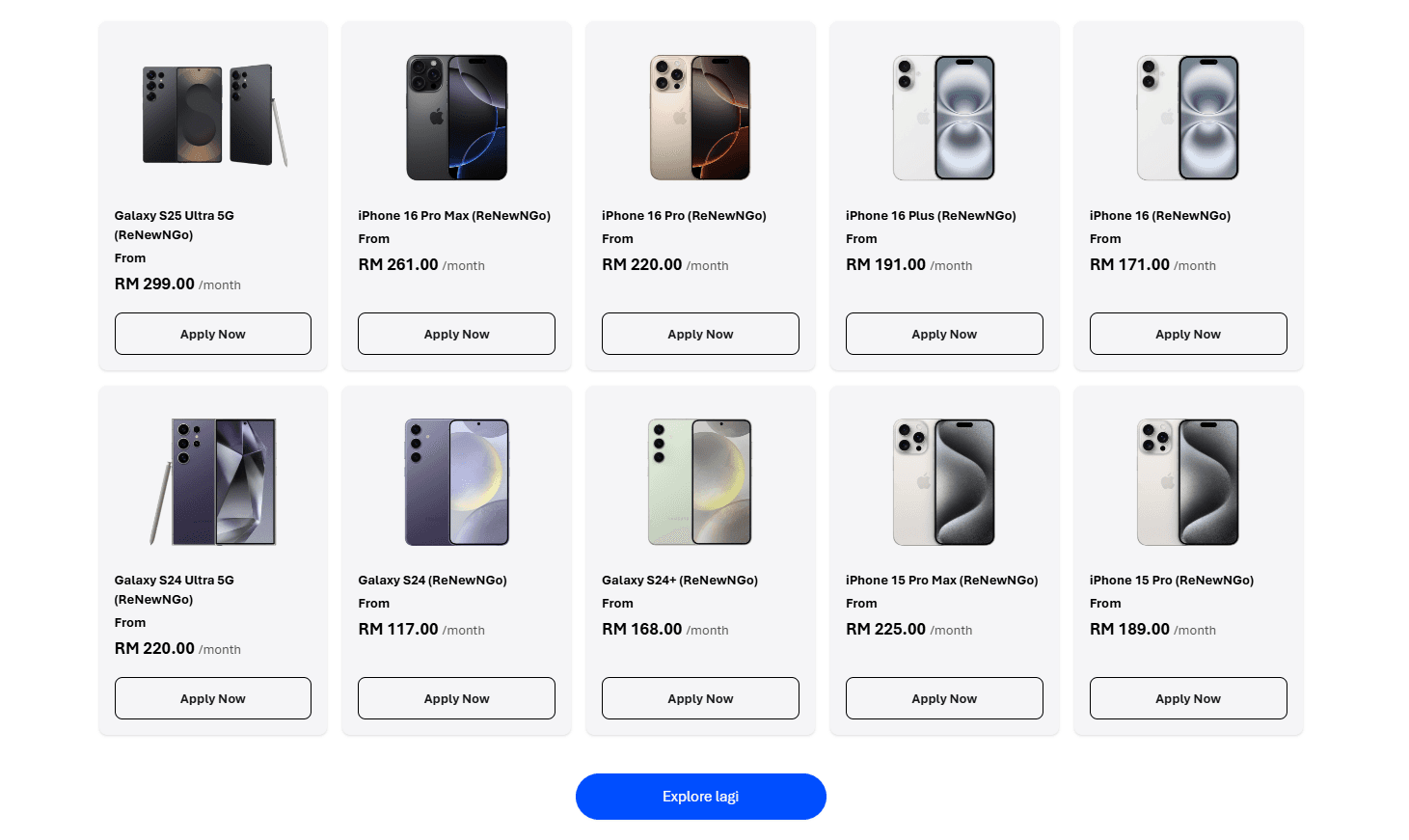
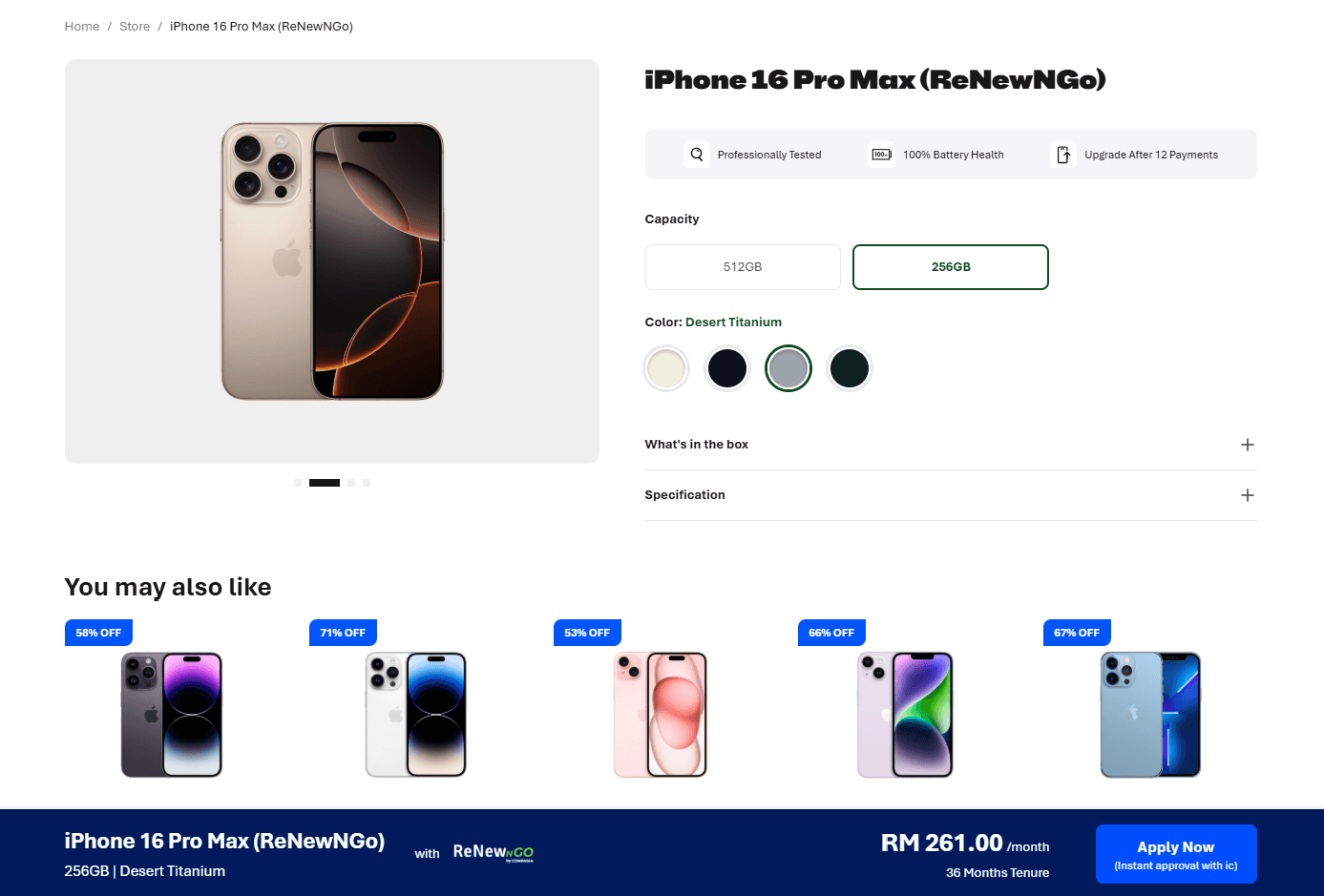
2. Choose Your Device, Color & Capacity
Browse the list of available second-hand devices and choose the model, color, and storage capacity that suits your needs.
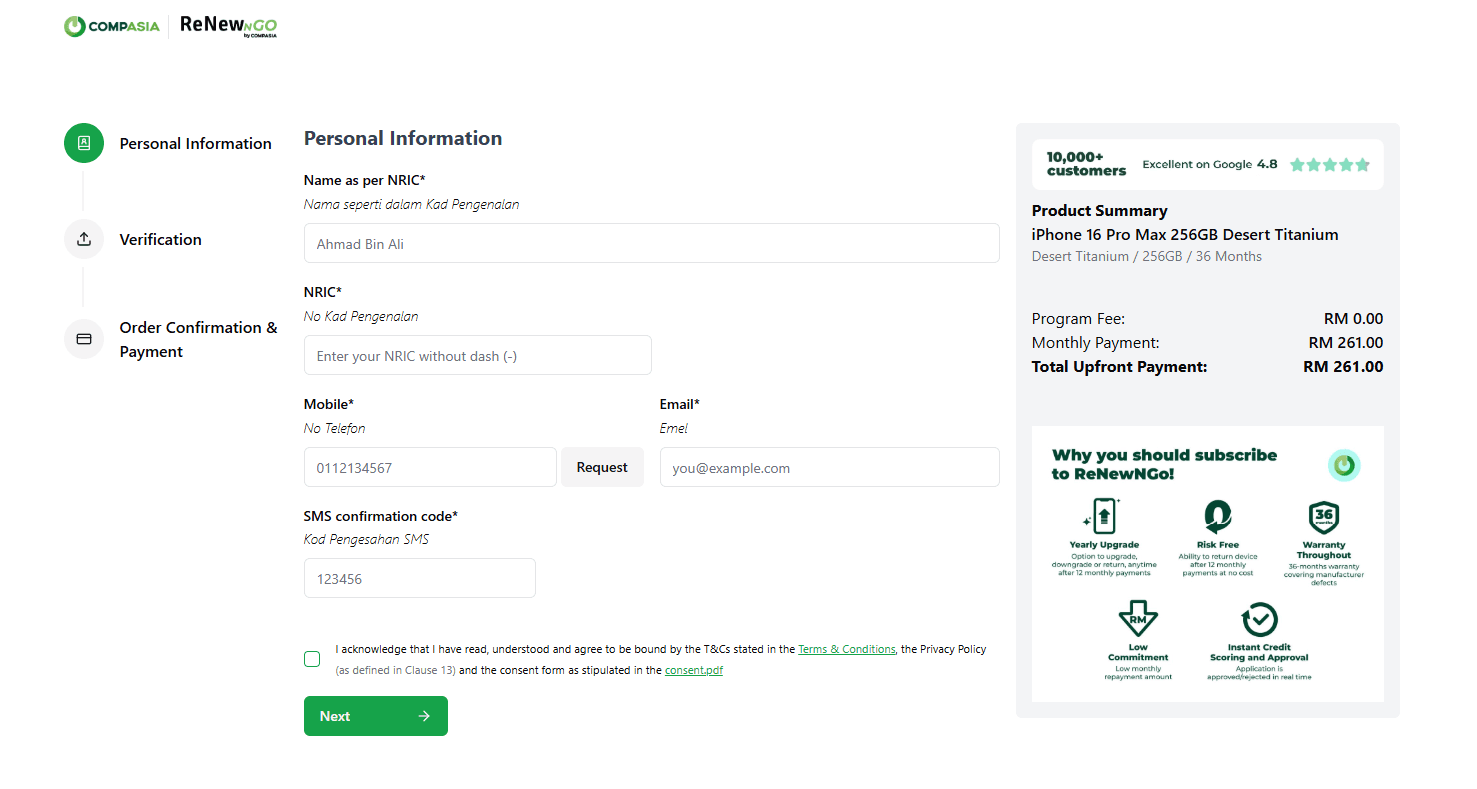
3. Fill in Your Personal Information
Complete the application form with your personal details, verify your email, and agree to the Terms & Conditions.
4. EKYC & Credit Check
The next step is to verify your identity and eligibility through EKYC and a credit check.
You will need to:
- Upload clear photos of the front and back of your IC.
- Take and upload a selfie for identity verification.
- Complete the automated eKYC and credit check.
The initial eligibility check usually takes around 30–60 seconds.
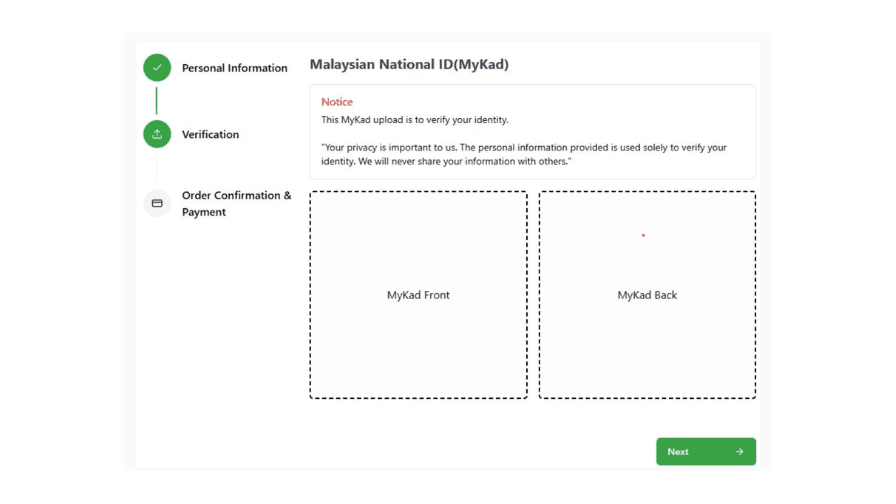
After the check, your application may receive one of the following outcomes:
i. Instant Approval
If your application is approved instantly, you can proceed directly to the Order Confirmation & Payment step.
ii. Conditional Approval
In some cases, your application may receive Conditional Approval. This means that additional verification is required before the application can be fully approved.
If you receive Conditional Approval, you will be prompted to upload supporting documents for a second validation.
The supporting document required depends on your employment sector:
- Private sector: EPF statement
- Government sector: Latest payslip
Once the supporting document has been submitted and successfully validated, your application can proceed to the next stage.
Supporting Documents for Conditional Approval
Private Sector – EPF Statement
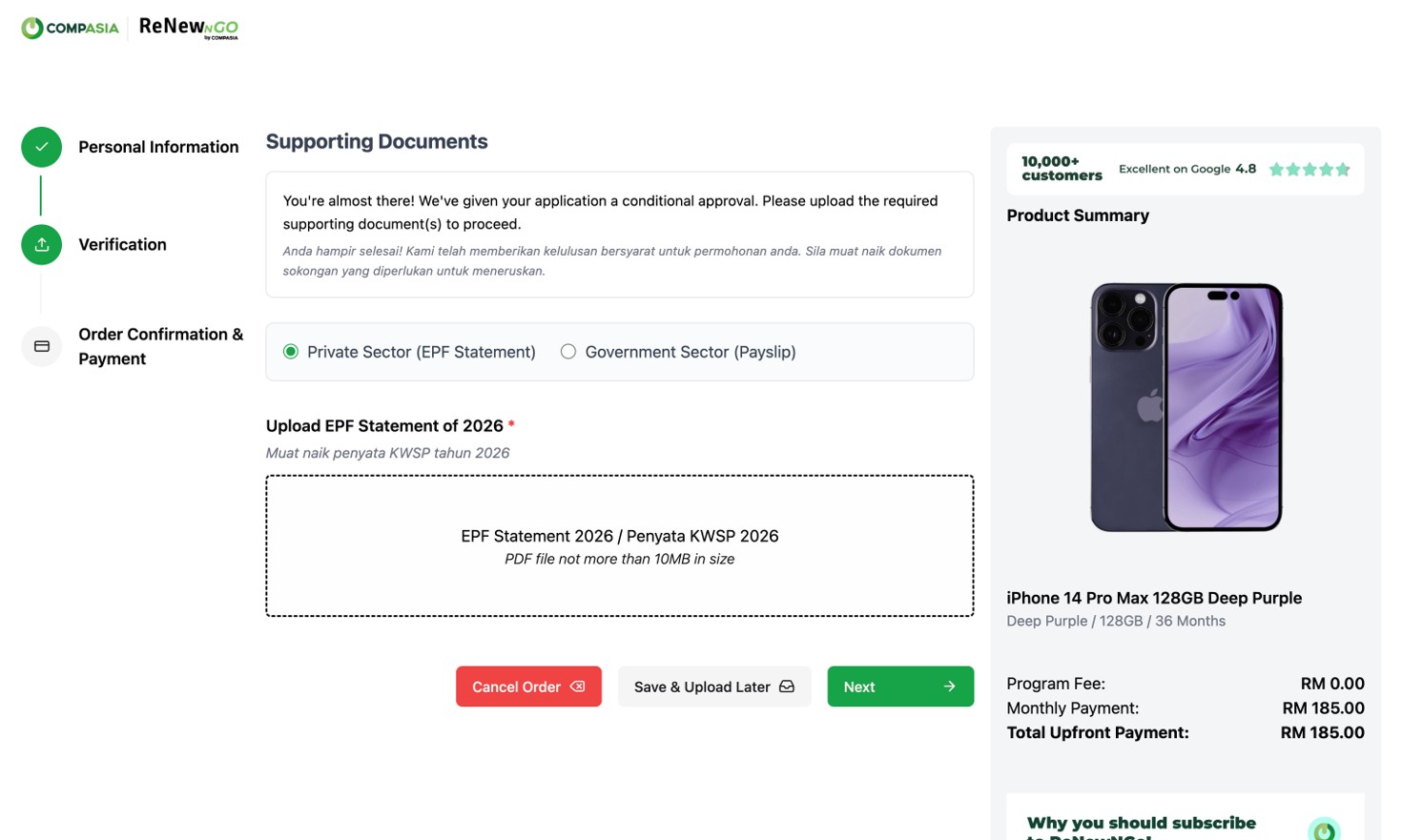
Private-sector applicants who receive Conditional Approval may be required to provide the EPF statement as a supporting document for additional validation.
Important notes:
- The document must be in PDF format and the maximum acceptable file size is 10MB.
- The EPF statement must be an official document from KWSP. Screenshots converted or saved as a PDF are not accepted and may result in the application being automatically declined.
- If there are server issues during the verification process, the system will time out after 5 minutes and display an error message asking you to try again.
Government Sector – Payslip
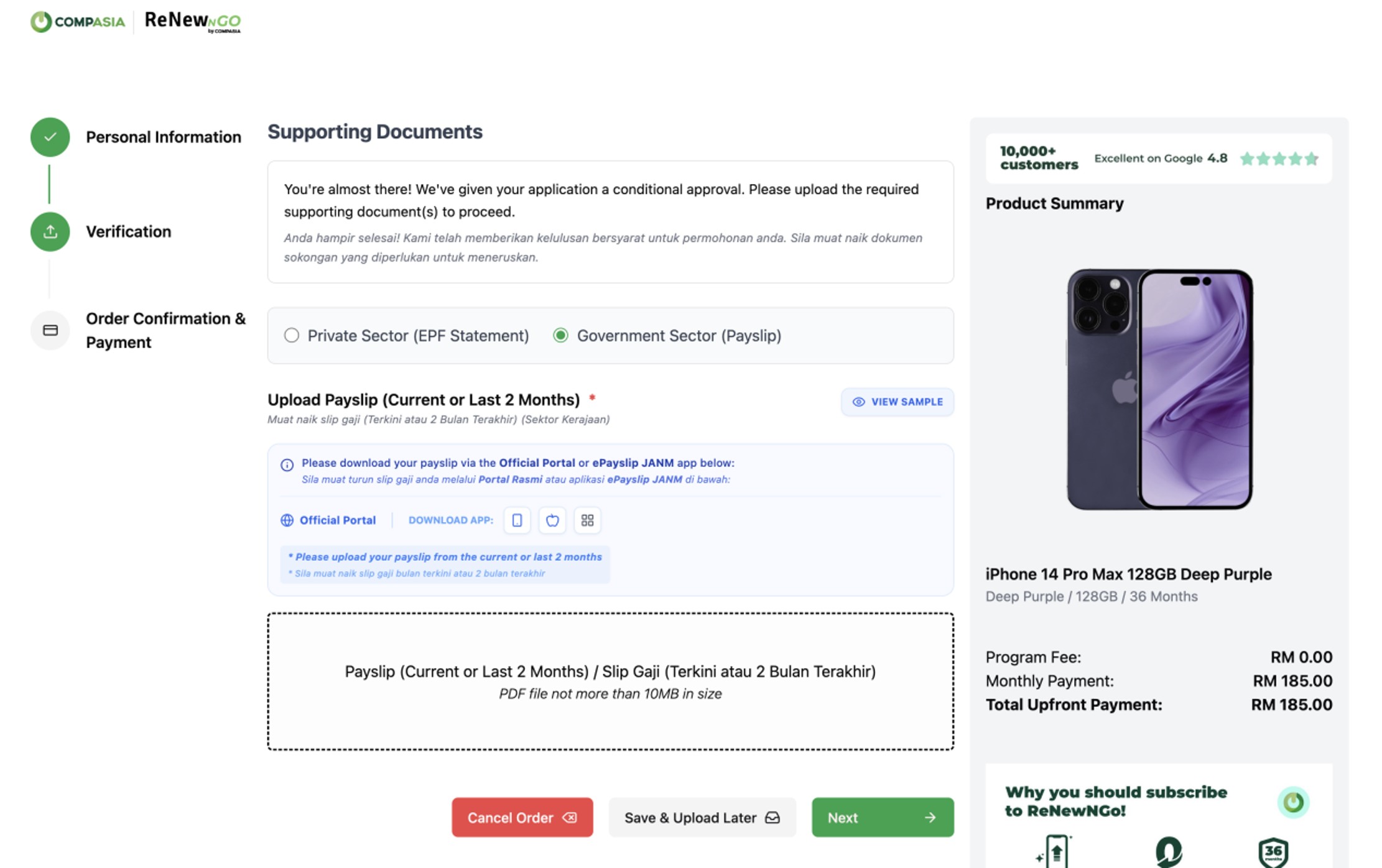
Government-sector applicants who receive Conditional Approval can provide a payslip as the supporting document.
Important notes:
- Upload one payslip from the latest 3 months.
- The payslip must be clear, valid, and meet the verification requirements.
- The minimum monthly gross income is RM2,200.
If you encounter an error page during payslip verification, it means that the uploaded payslip does not meet the verification requirements. You can click “Retry” to upload the correct document.
Please ensure that the payslip:
- Is from the latest 3 months
- Is clear and readable
- Is valid and complete
- Matches the details provided in your application exactly
You are allowed to re-upload the document up to 3 times. After the third unsuccessful verification attempt, the application will be automatically rejected.
Important: Conditional Approval does not mean that the application has received final approval. The application must successfully complete the additional document verification before you can proceed with the order.
What Happens After Conditional Approval?
After your supporting document has been submitted, the system will perform a second validation.
- If approved: You can proceed to the Order Confirmation & Payment step.
- If declined: You will receive a notification or pop-up informing you that your application has been rejected.
5. Choose Collection Method & Enter Billing Details
Once your application has been approved, you can proceed with your order confirmation and payment. Select how you want to receive your device and enter your billing information:
- In-store pickup
- Home delivery (for Peninsular Malaysia only)
- If you choose delivery, please provide the delivery address.
6. Select Bank & Make Two Payments
Choose your bank to proceed with payment. Make sure the bank account holder’s name matches the applicant’s name (as shown on the IC).
- RM1 will be charged for direct debit registration (Mandate Authorization)
- First month’s payment (amount depends on the chosen device)
Both payments must be made at the same time (do not close the browser, refresh, or log out). Each transaction will be confirmed via a payment confirmation email.
7. Receive Final Confirmation Email
Once payment is successful, you will receive a final confirmation email as proof of ownership and to proceed to the next step.
Device Collection Steps
1. Receive Your Device
You will receive the device via delivery or in-store pickup at any nearest CompAsia outlet, depending on your chosen method.
2. Complete EKYC Steps via ReNew+ App
- Important to ensure that to bring your identification card (IC) with you.
- If you choose in-store pickup, our staff will assist you in completing the registration via the ReNew+ app.
- If you opt for home delivery, the assigned delivery personnel will assist with registration via the ReNew+ app.
- After the registration is complete and IC details are verified, you’ll be required to sign the Device Ownership Agreement.
- Once everything is completed, a Customer Order Summary will be generated — indicating that your device collection process is complete and the order is successful. Hence, you officially own a second-hand device through ReNewNGo!
Own Your Second-Hand Device Today!
Don’t miss out on the chance to own a second-hand device with ease. Visit ReNewNGo by CompAsia and apply now — instant approval using just your IC!